.svg)

Overview
The Marketplace makes it easy to find and work with new Advertisers.
You'll get tools to search for new brands, check if they're a good match, and manage your connections.
Whether you're just starting out or growing your network, you'll have everything you need to build strong partnerships.
What's Changed▼
July 17, 2026 Removed
Removed the Match Score and the Top Matches sort option from Marketplace Discovery.
How To Find New Advertisers
1

Dashboard Integration
Navigate to
Dashboard -> Customization Cards -> Marketplace Connection
to view:Awaiting Approval
Pending Connections
Recommendations
2
Finding New Advertisers
Go to
Marketplace -> Discovery -> Advertiser Discovery
Review potential Advertisers.
Click
Learn More
to examine:General Information
Program Details
Terms & Conditions
Application Process
Let's get through the steps of initial application and post-approval.
1
Step 1: Initial Application
Click
Apply
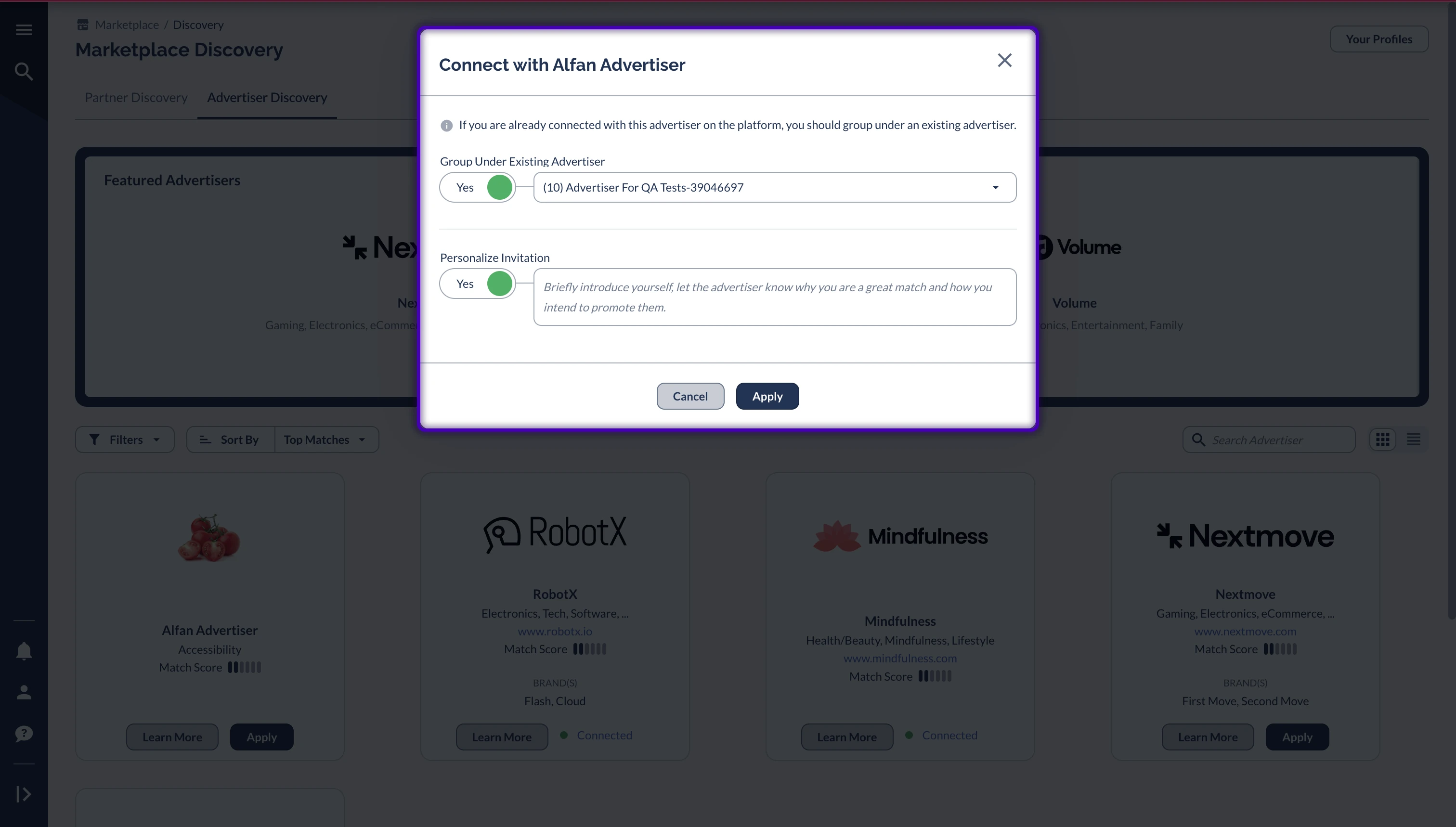
on desired Advertiser.Review and accept Terms.
Choose account setup:
Create new account.
Or add to existing Advertiser.
Customize invitation message (optional but recommended).
2
Step 2: Post-Approval
Receive email confirmation.
Click
View Offers
in email.
Begin promotional activities.
Advertisers may not have a Public Offer, or they may not have granted you access to their Offer yet. If this is the case, they may reach out to you, or you can proactively contact them.