


.svg)

Overview
Managing your Advertiser relationships is simple with the Everflow Marketplace.
You'll see all your active partnerships, pending requests, and new opportunities in one spot, making it easy to stay on top of everything.
Accessing Connection Management
Method 1: Direct Navigation
Go to
Marketplace -> Manage Connections
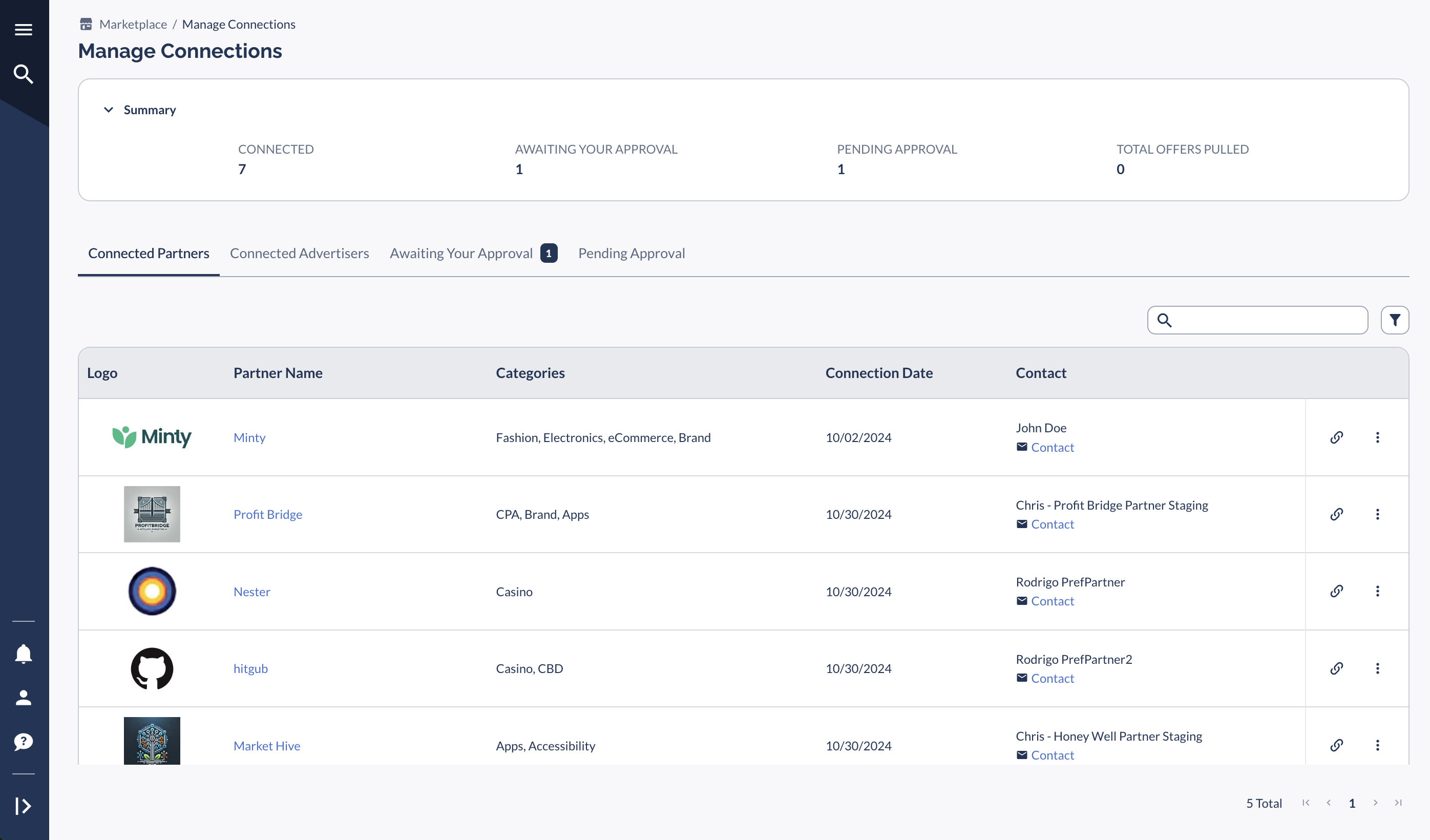
Look for notification bubble indicating pending approvals.
Method 2: Dashboard Access
Click Marketplace Connections card.
Add card if not visible:
Click toggle button (upper right corner)
of your
Dashboard
Select
Marketplace Connections

Connection Types
Connected Advertisers/Brands
View all approved connections.
Generate Tracking Links for specific Offers (look for link icon
at the end of each row)
Access partnership details.
Awaiting Your Approval
Review incoming connection requests.
View Advertiser’s profiles.
Respond to requests.
Contact Advertisers directly (you can use Communication Hub as one of the ways to communicate within Everflow once connected or any other messaging system you prefer).
Pending Approval
Track your outgoing applications.
View Advertiser profiles.
Edit invitations via
vertical dots menu.
Contact potential partners.
Notifications
You can set up email alerts for new invitations.
Orange notification (8+ pending requests).
Dashboard card updates.
Pro Tip!
Check your Manage Connections section regularly to maintain active partnerships and handle pending requests promptly.


