.svg)

TikTok Ads Cost Integration
Connect Everflow to your TikTok Ads accounts to automatically import cost/spend data. By syncing this data, you can view campaign profitability (ROAS) holistically in one place, comparing your TikTok spend against revenue alongside your other channels.
Integration Comparison
Everflow offers two separate TikTok integrations. Choose the right one based on your needs.
Note: You can use the Cost integration independently, even if you're not using the Conversion integration.
Quick Expectations Check
- Who is this for? Network Admins managing internal media buying. Affiliates cannot connect this.
- Data Latency: Media cost is NOT real-time. It's pulled into Everflow the following day (daily sync).
- Retroactive Data: You can pull cost data for up to 30 days in the past.
A Step-By-Step Guide
1
Connect the Integration
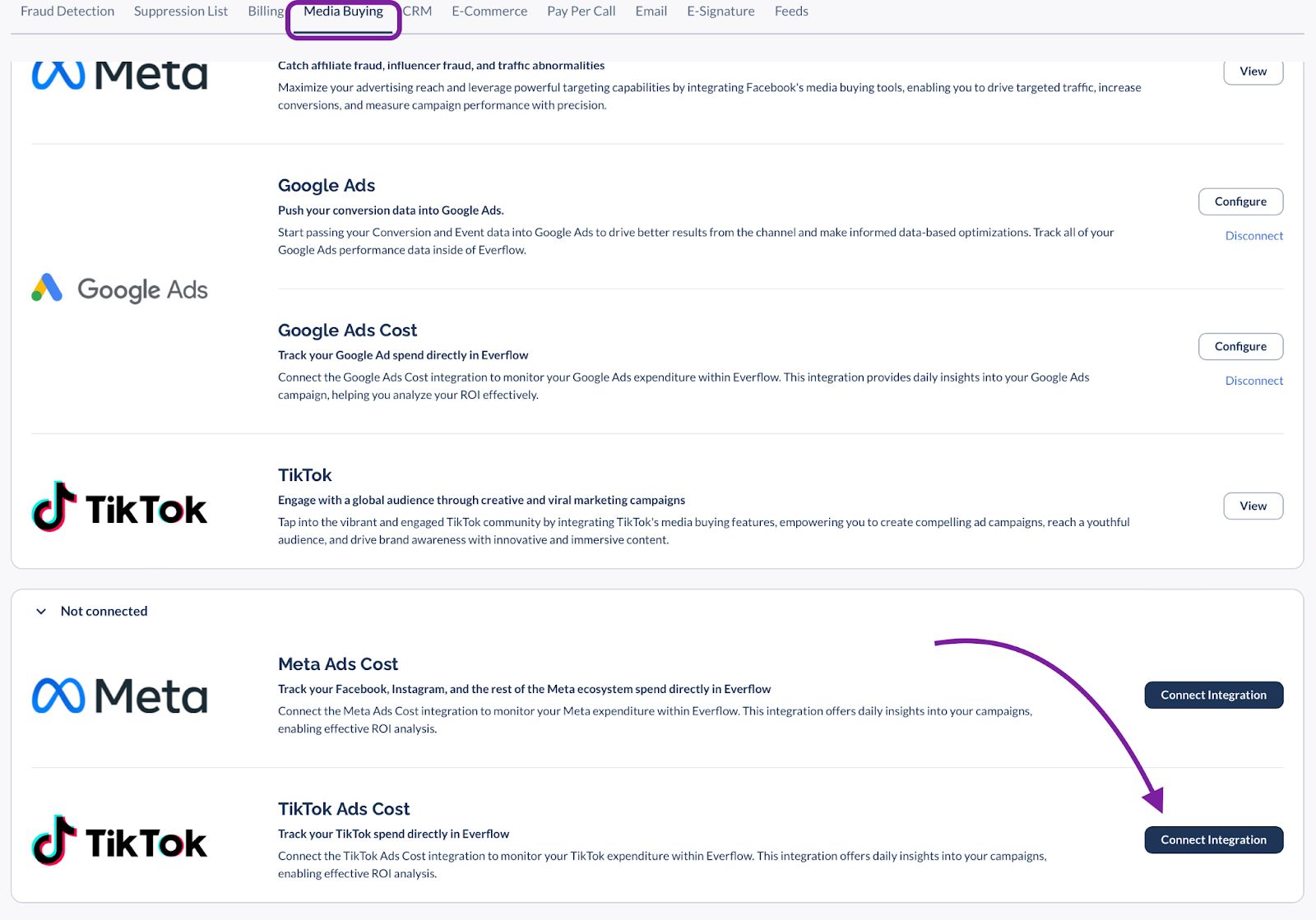
Navigate to
Integrations > Media Buying
.Find
TikTok Ads Cost
and click Connect Integration
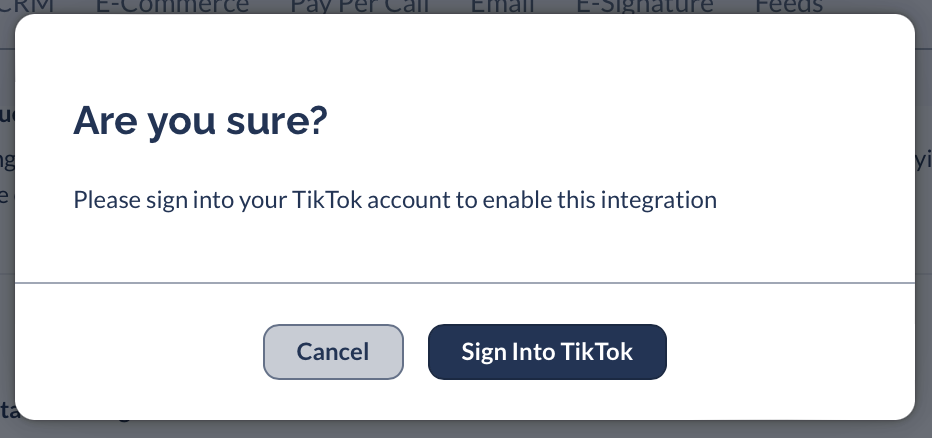
.You will be redirected to sign into your TikTok Ads account to authorize the connection.
2
General & Account Configuration
Once authenticated, complete the configuration form:
Name:
Name your log (e.g., "TikTok Q4 Spend").Status:
Set to Active
.TikTok Advertiser:
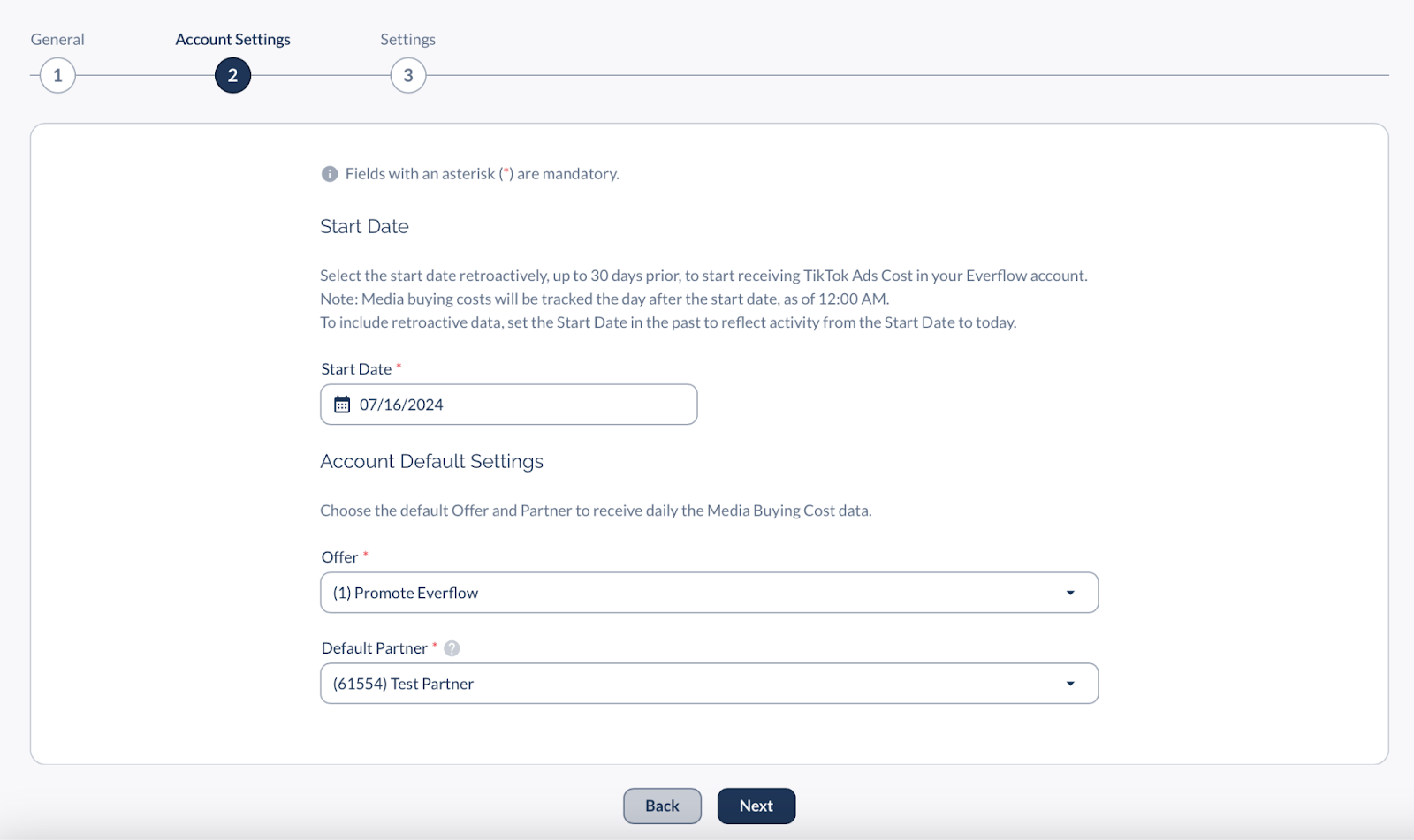
Select the ad account you want to pull data from.Start Date (Crucial):
Set this date to the past (up to 30 days) if you want to pull historical spend.
Note: The sync will start pulling data from this date forward.
Account Default Settings:
Select the default Offer
and Partner
(e.g., your "TikTok Media Buying" partner) to attribute this cost to.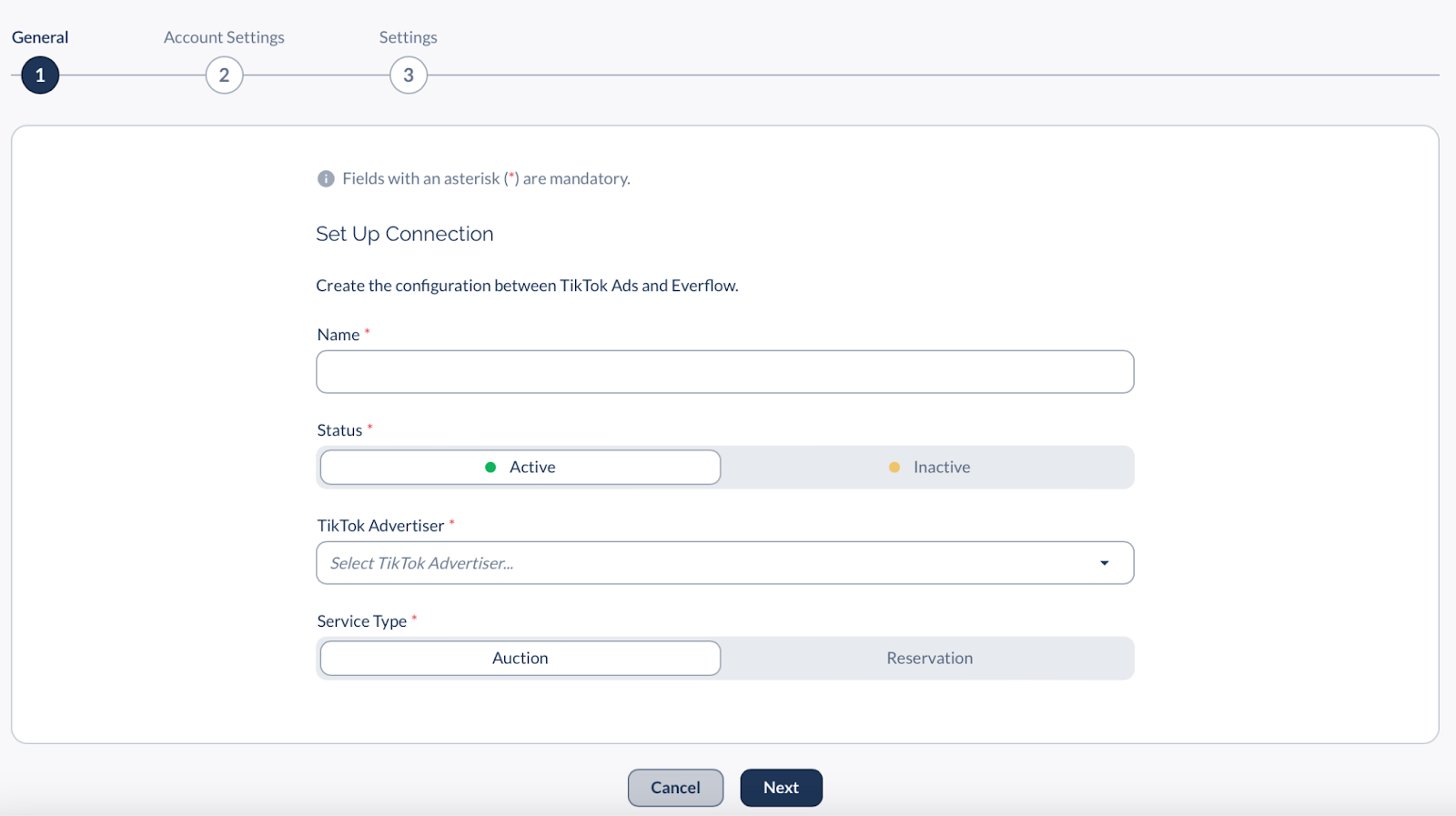
3
Entity Mapping & Exclusions (The "Filter" Step)
This is where you define exactly which TikTok campaigns map to which Everflow offers. You can override the defaults set in Step 2 here.
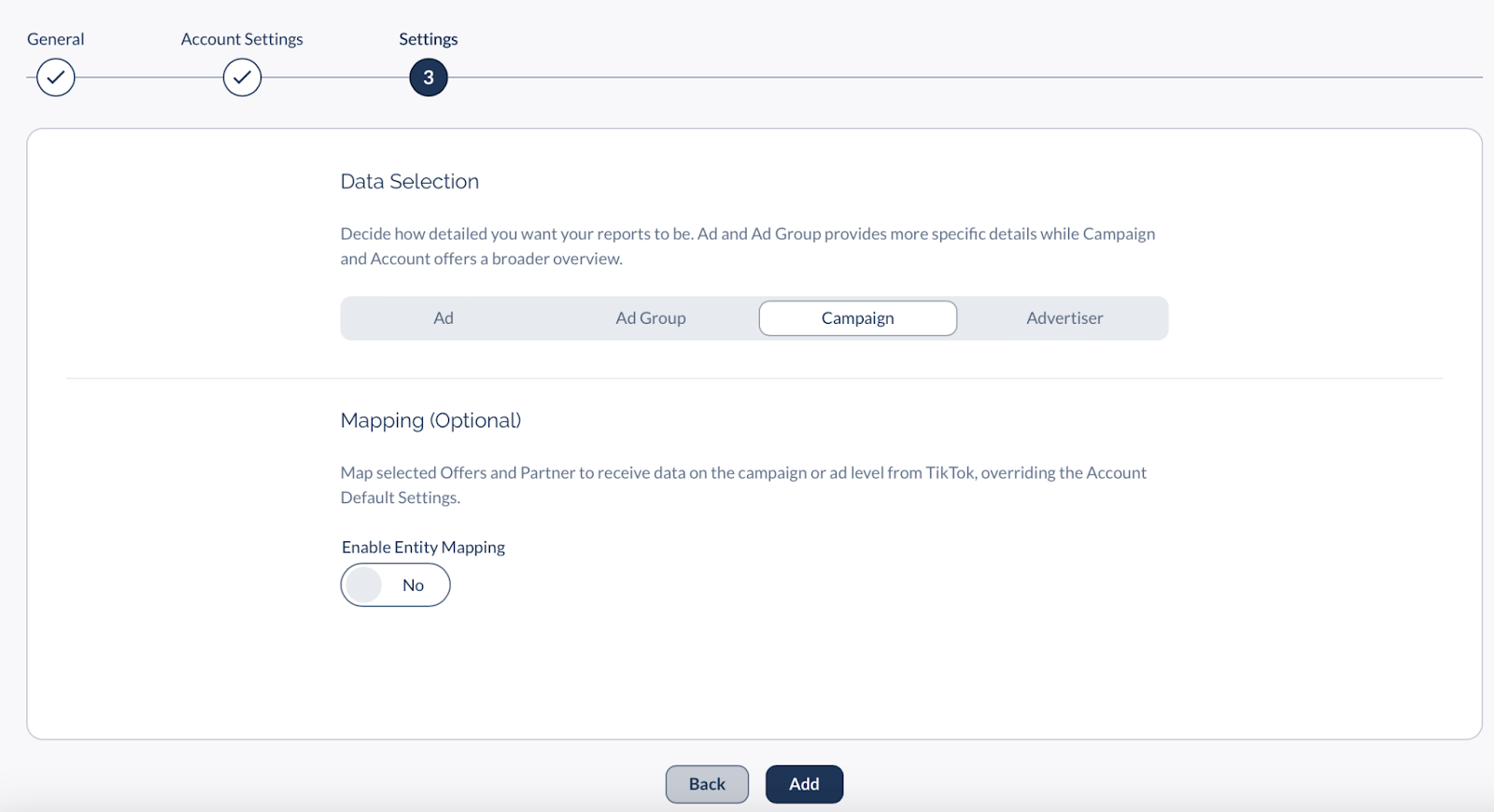
How detailed do you want your data?
How to Map or Exclude Campaigns:
How detailed do you want your data?
Advertiser Level:
Pulls ALL spend from the account. (No mapping allowed).Campaign Level (Recommended):
Allows you to map specific TikTok campaigns to specific Everflow Offers.How to Map or Exclude Campaigns:
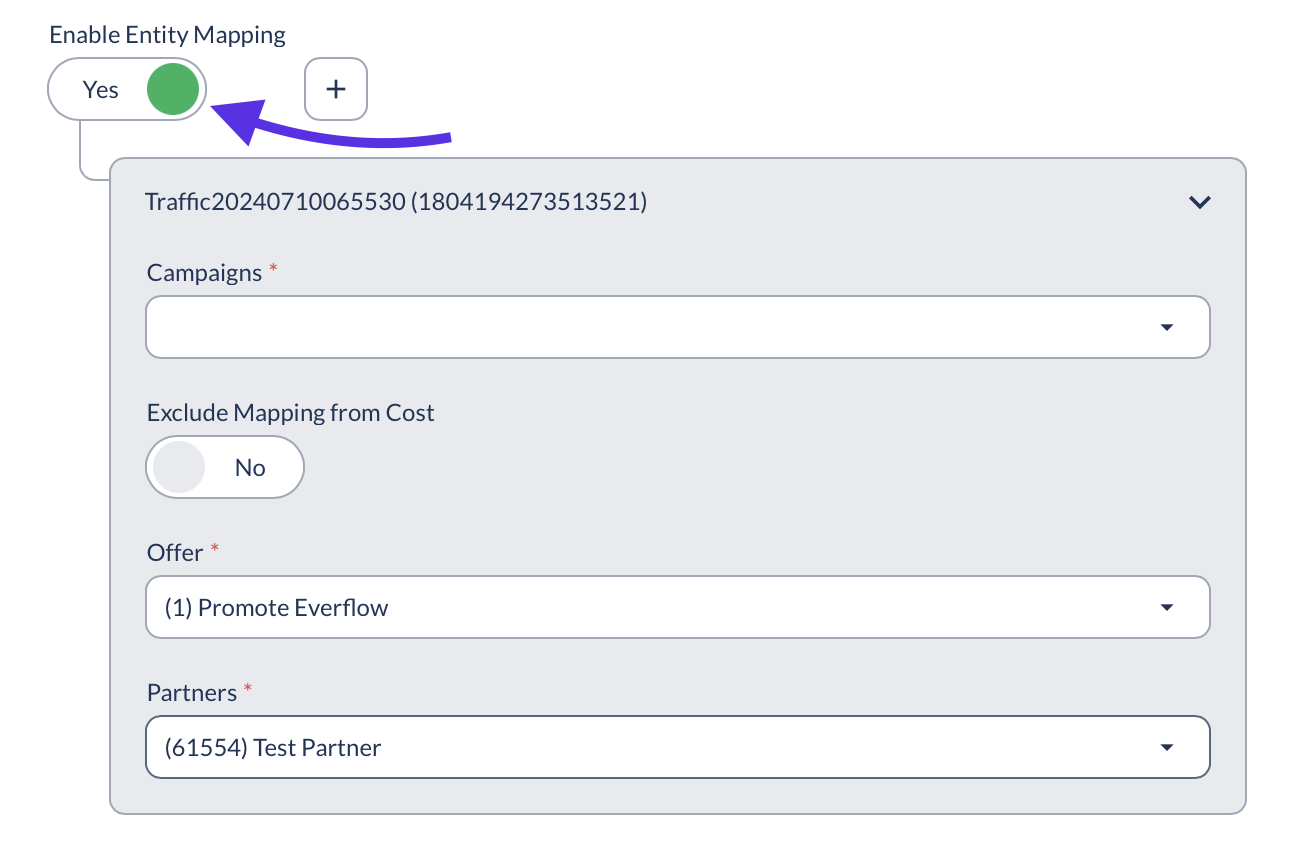
Enable the
Entity Mapping
toggle.Select a specific
TikTok Campaign
from the dropdown.Map It:
Select the specific Everflow Offer/Partner for this campaign.Exclude It:
If this campaign is not relevant to Everflow, check the "Exclude" box to prevent its cost from polluting your reports.Heads Up!
By default, ALL TikTok Ads costs are imported. You MUST manually exclude campaigns here if you do not want their spend to appear in Everflow.
How to View the Data (Reporting)
Once the data syncs (remember: next day!), you can view it in your reports.
1. Enable the Column
The cost data lives in a specific column that is hidden by default.
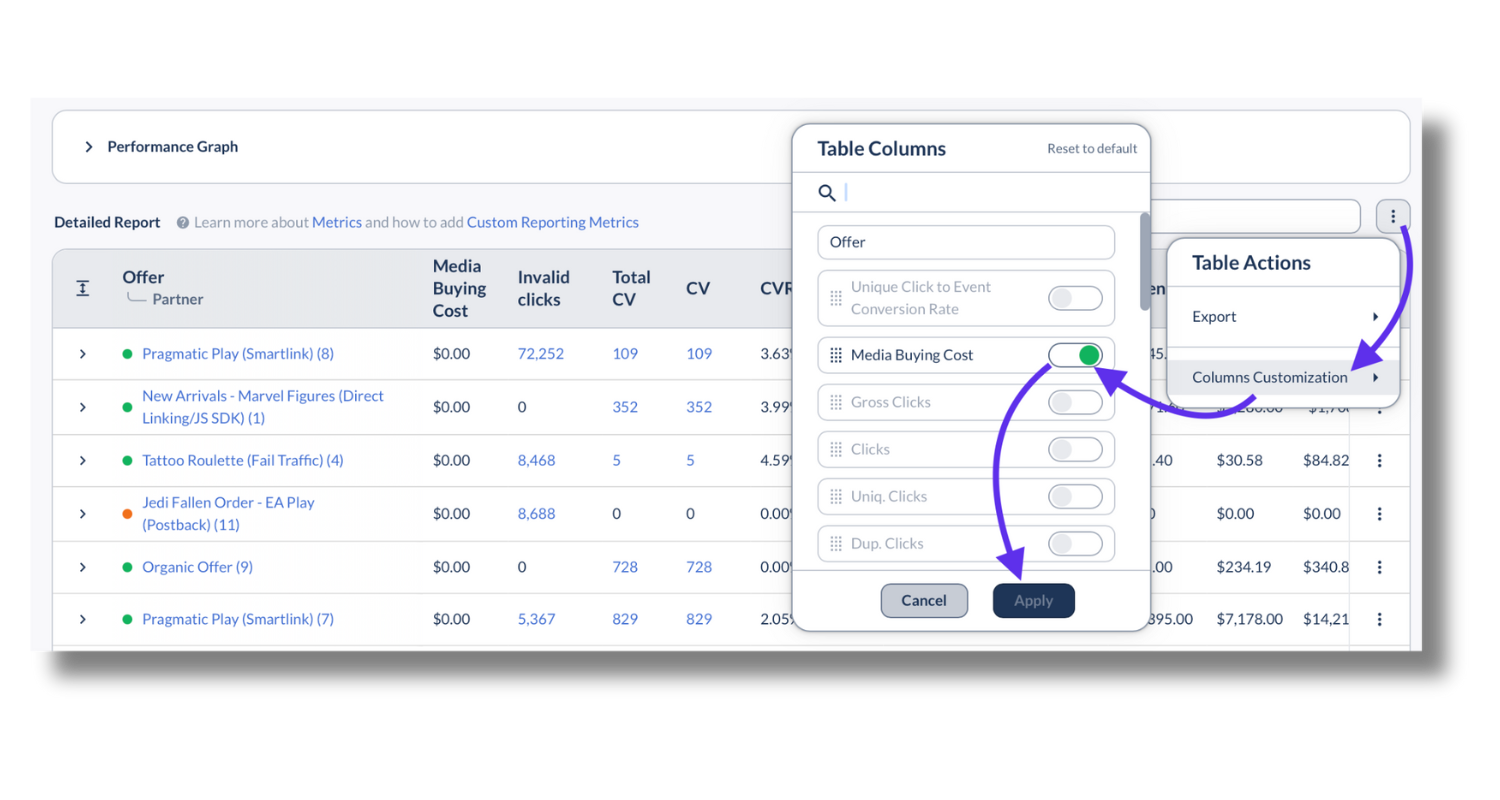
Go to
Reporting > Offer
(or Partner/Advertiser).Click the
Table Actions
(columns) button.Search for
Media Buying Cost
and toggle it ON
.You will now see a column showing the exact spend imported from TikTok.
2. Actionable Metrics (Custom Calculations)
Raw cost is good, but ROAS is better. Use Custom Metrics to calculate performance automatically.
Metric Name
Formula
Why Use It?
Media Buying ROAS
Revenue / Media Buying Cost
The "Holy Grail" metric. Are you making money on your ad spend?
Media CPA
Media Buying Cost / Conversions
Tells you exactly how much you paid TikTok to get one sale.
Profit (Media)
Revenue - (Media Buying Cost + Payout)
The true bottom line after paying both TikTok and any other partners.
Pro Tip: The Dimensional Report
For the deepest analysis, use the Dynamic Nested Report. Group by Placement to see exactly which TikTok ad creative is driving the lowest CPA.