


.svg)

Overview
Pre-pop lets you pass data points from the Partner level through to the Advertiser's landing page, automatically filling form fields.
This creates a better user experience and can increase Conversion rates.
Key Terms
Key terms related to pre-populating landing page forms.
➔ Pre-pop: Auto-filling form fields on landing pages.
➔ Default Landing Page: The Advertiser's landing page URL (also previously known as Default Landing Page URL).
➔ Partner Tracking Link: The link partners use to send traffic.
➔ Macro: A placeholder that gets replaced with actual data.
➔ Parameters: Data points added to URLs (e.g.,?firstname=John).
➔ Default Landing Page: The Advertiser's landing page URL (also previously known as Default Landing Page URL).
➔ Partner Tracking Link: The link partners use to send traffic.
➔ Macro: A placeholder that gets replaced with actual data.
➔ Parameters: Data points added to URLs (e.g.,?firstname=John).
Building Pre-Pop Tracking Links
Configure tracking links to automatically fill landing page forms.
1
Identify Form Fields
Determine which landing page fields to pre-populate
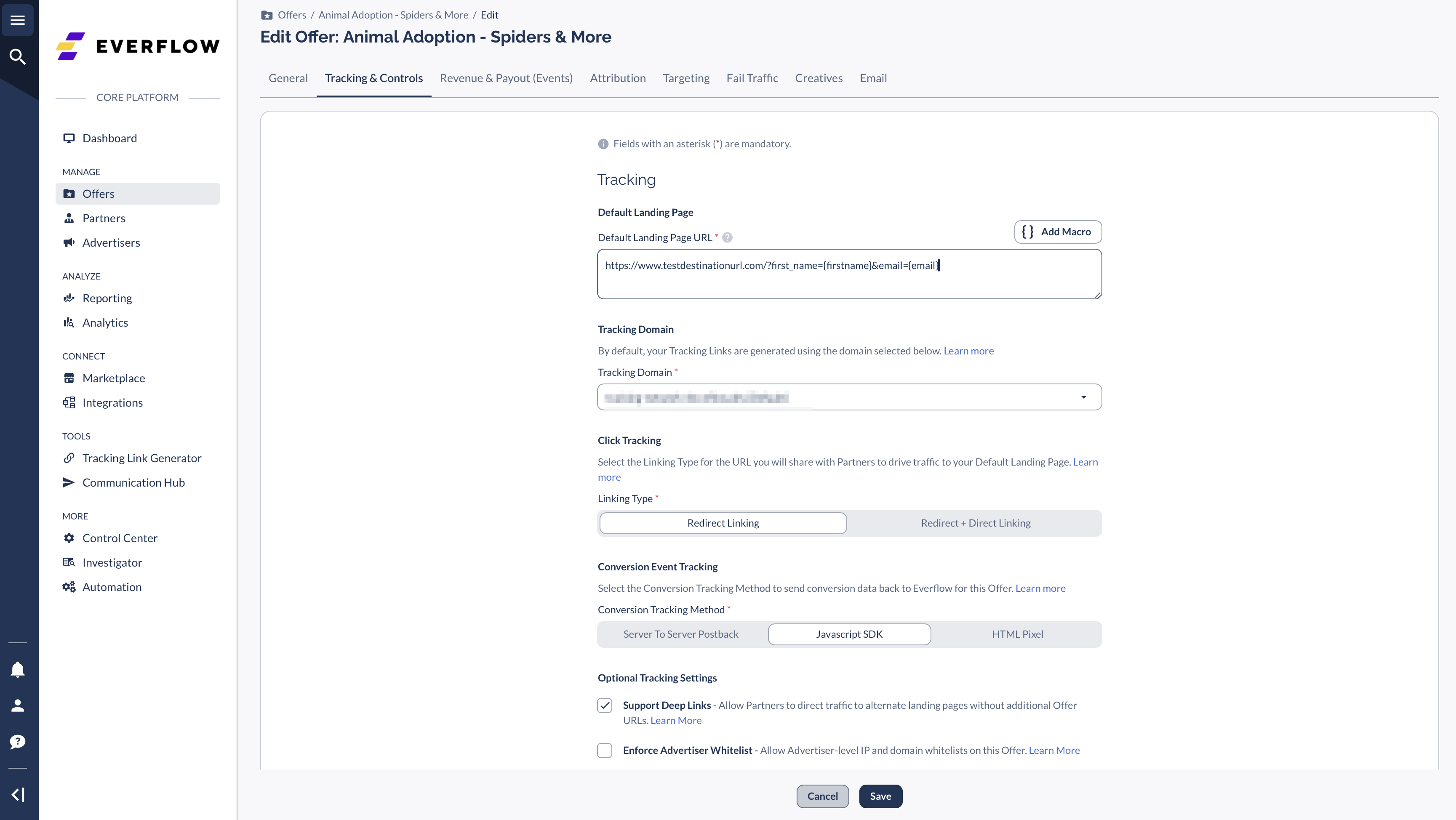
Add these as parameters to Default Landing Page
Example:
2
Add Macros
Insert custom macros into the Default Landing Page
These macros will map to Partner parameters
Example:
3
Create Partner Tracking Link
Map your macros to Partner parameters
Structure the tracking link properly
Example:
4
Partner Implementation
Share tracking link with Partner
Partners replace placeholders (INSERT_FIRSTNAME, INSERT_EMAIL) with their macros
Data flows automatically to landing page
Global Setting Configuration
Enable a global setting to pass non-Everflow custom parameters.
Most setups don't require this setting
If you need to pass non-Everflow custom parameters:
Navigate to
Control Center -> Platform Configurations
Open
Global Settings
cardClick
Edit
Enable
Enable tracking links to pass Pre-Pop data
Common Use Cases
- Lead generation forms
- Registration pages
- Quote request forms
- Contact information collection
- Application forms


