


.svg)

Overview
The MassPay integration allows you to offer diverse payout options to your partners, including bank transfers, cash pickup, prepaid Visa cards, and mobile wallets. This guide walks you through setting up the MassPay integration with Everflow for efficient partner payments.
Prerequisites
An active MassPay account.
Your MassPay API Key (found in your "Welcome Packet").
Access to your Everflow dashboard.
Setting Up the MassPay Integration
Log into your Everflow dashboard.
Navigate to
Integrations
.Click the
Billing
tab.Locate MassPay and click
Configure
.Enter your
API Key
from MassPay.Save your settings.

Configuring the Webhook
In your Everflow MassPay integration settings, copy the
Webhook URL
.Log into your MassPay account.
Navigate to your
User Profile
.Under
Notifications & Settings
, locate the Callback URL
field.Paste the Webhook URL from Everflow.
Click
Update
to save changes.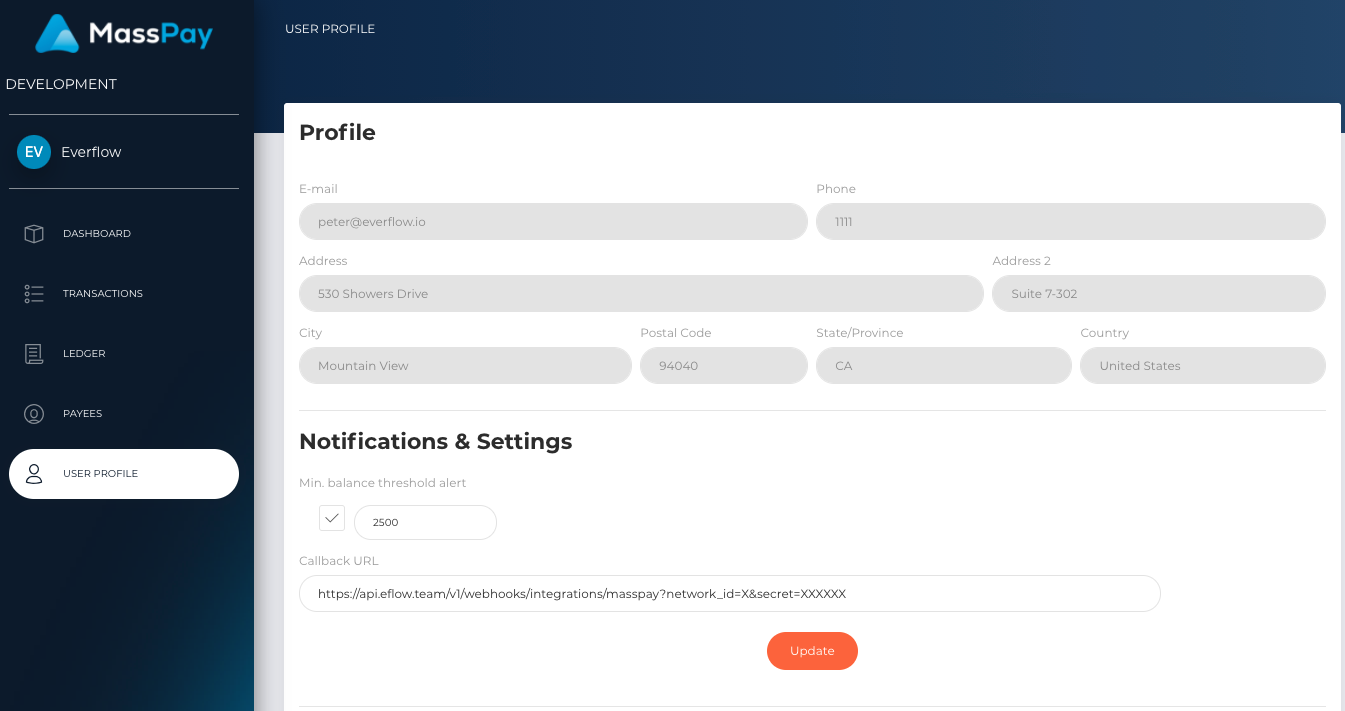
Adding MassPay as a Payment Method
Once the integration is complete:
- Edit your Partner's billing settings
- Add MassPay as an available Payment Method
- Save the changes
Your Partners can now receive payments through MassPay's flexible payout options, streamlining your payment processes and enhancing Partner satisfaction.
A Note on PayPal Payouts
PayPal MassPay has been replaced by PayPal Payouts, and the Everflow integration is with PayPal Payouts.
How the Payee Email Works
The email you set for a Partner in the Payment Method section is the key — it’s the unique identifier across all payees, and it determines how payments are processed:
When an invoice is paid, Everflow sends the payment details from the Partner’s billing account.
If an account already exists for that email, the payment is processed against it.
If no account is associated with that email, one is automatically created using the information provided from Everflow (name, email, ID, etc.).
The payee is then notified by email with a link to set a password and complete the rest of their profile (address, date of birth, etc.).


