


Overview
This article explains how to integrate Everflow with Invoca for pay-per-call tracking and management. The integration allows you to synchronize Offer and affiliate data between platforms while using Everflow as your primary source of truth.
After requesting connection through the Pay Per Call tab in Integrations, you'll need to provide your Invoca Network ID and OAuth Token to Customer Success. Once activated, you can enable the integration at the offer level, which automatically creates matching campaigns in Invoca and keeps affiliate access synchronized between systems.
Reporting data from Invoca is updated approximately every 5 minutes, with payout and revenue amounts pulled directly from Invoca rather than Everflow settings.
How To Initiate Integration
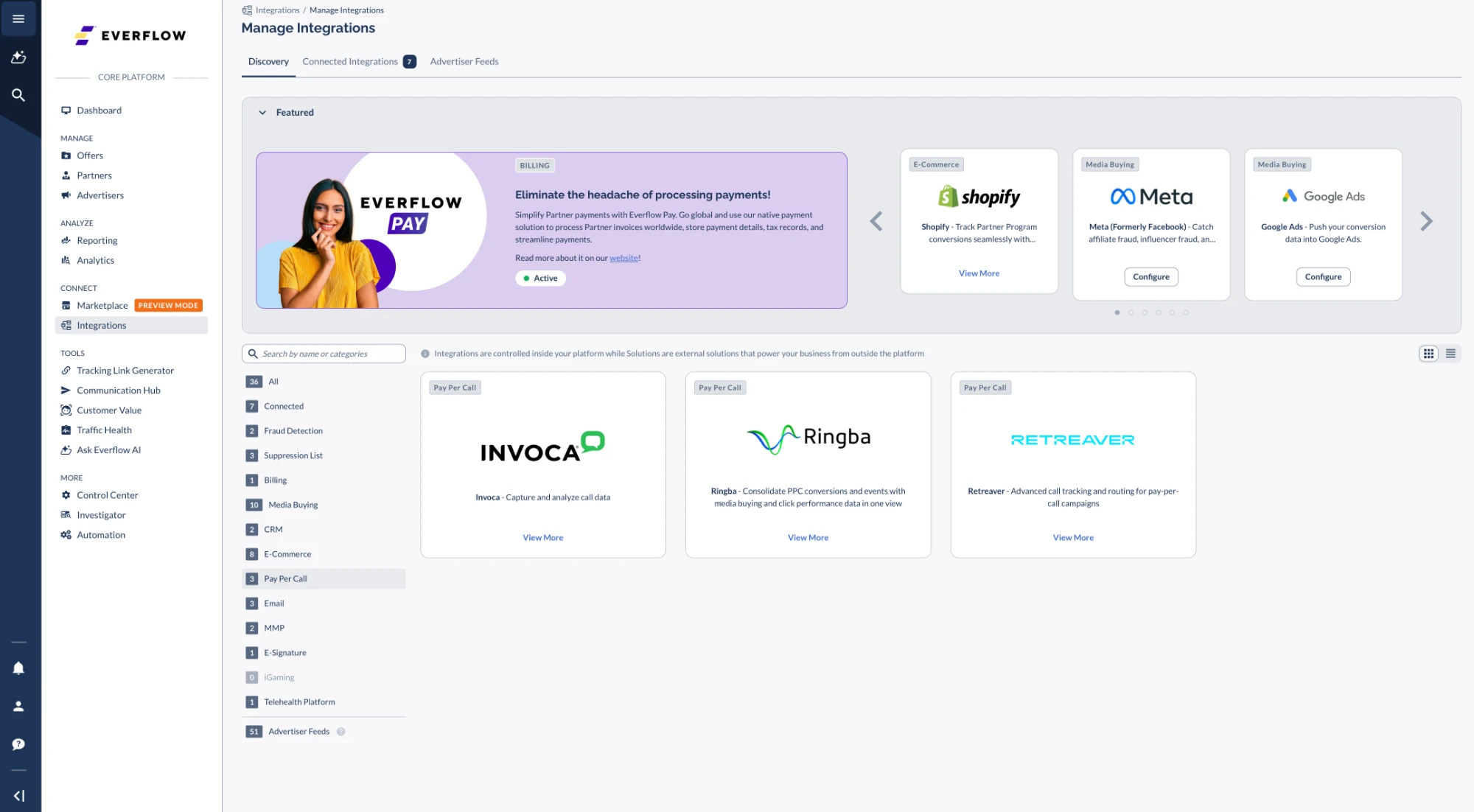
- Go to Integrations. In the category list on the left, click Pay Per Call, then click View More on the Invoca card.
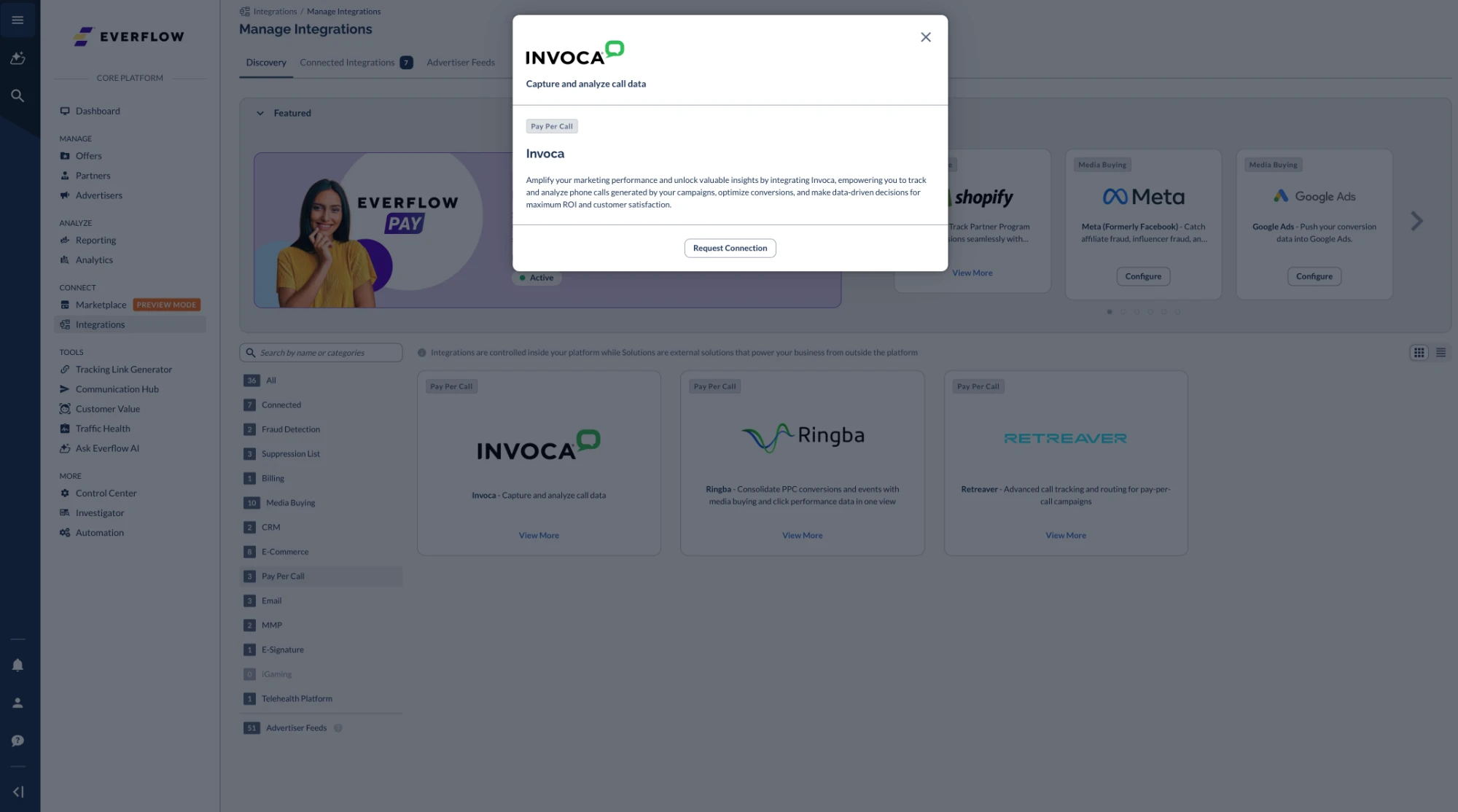
- In the Invoca window, click Request Connection.
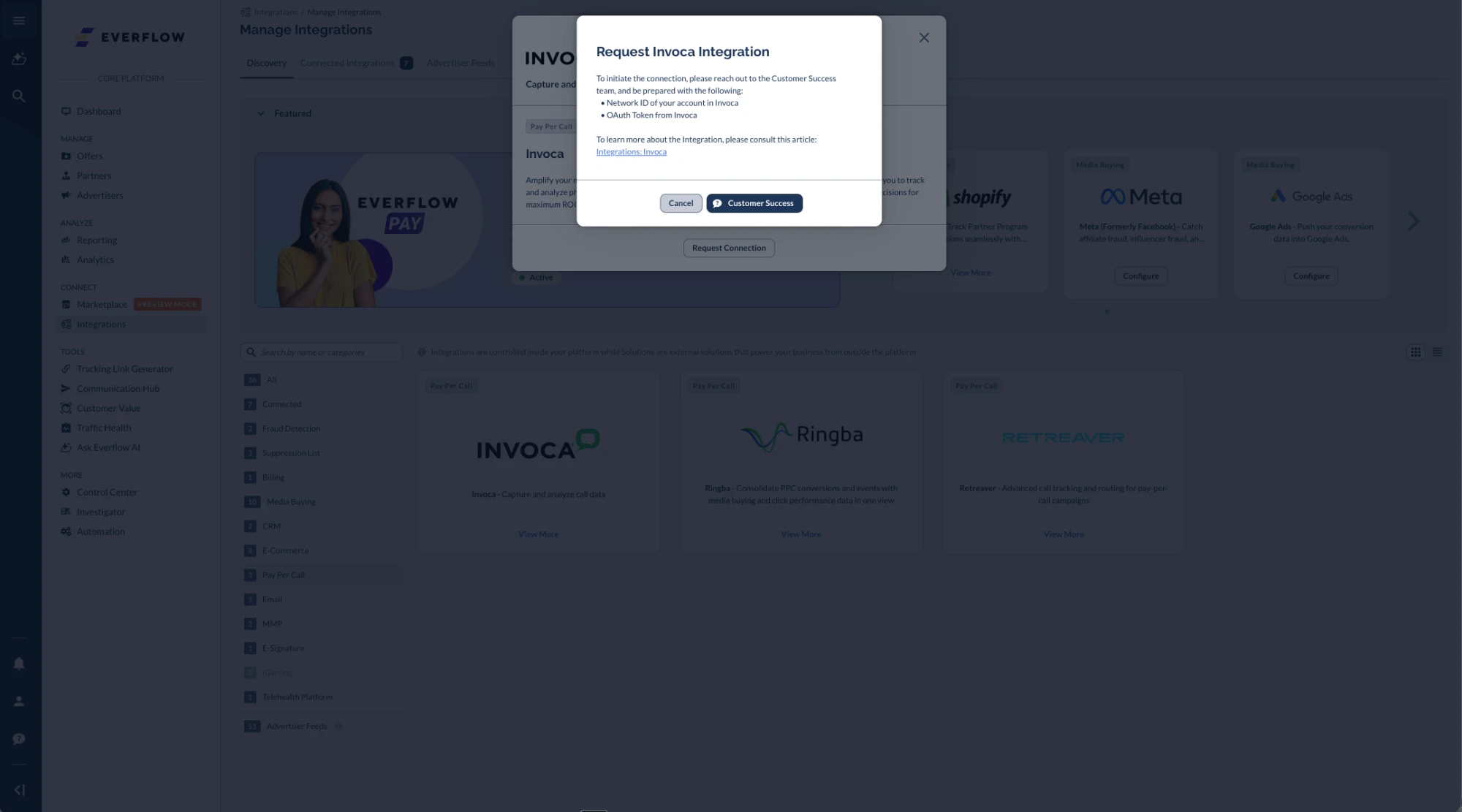
- The Request Invoca Integration window asks you to contact the Customer Success team. Click Customer Success to open the live chat, and have these ready:
- Network ID of your account in Invoca
- OAuth Token from Invoca
- Activating the integration via Customer Success enables the Invoca Pay Per Call Offer toggle switch in the Offer form.
- Turning the toggle on and saving the offer syncs it to your Invoca account.
- It also syncs any affiliates with visibility on the offer (affiliates not already in Invoca will be created).

- When enabled at the Offer level, an offer with the same name is immediately created in Invoca.
Please note that you still need to finish offer setup in Invoca.
Invoca Settings
Finish these settings in Invoca so the integration can work.
Campaign level
- In the campaign, go to Campaign Summary > Visibility & Approval and set Campaign Approval to automatically approve all applications.
Publisher level: add the promo number Everflow shows
- Once the offer is Live in Invoca, an Affiliate Campaign is created in Invoca for each Partner to whom the Offer is visible in Everflow.
Keep in mind that once integrated, Everflow becomes the primary "source of truth".
For example:
- You grant an affiliate visibility in Invoca but not Everflow.
- Later, you save the offer in Everflow without having the same visibility.
- Everflow syncs to Invoca, removing the affiliate's visibility.
The integration ensures matching visibility:
- Affiliates with Offer access in Everflow are synced to have Invoca access
- Affiliates without Offer access in Everflow lose their Invoca access after syncing
In essence, Everflow visibility controls Invoca visibility through the automated sync process.
Reporting
Reporting is updated approximately every 5 minutes with data from Invoca for Offers with the integration enabled.
The Payout and Revenue amounts associated with a conversion are pulled from Invoca, meaning that the payout and revenue settings in Everflow are not applied when the integration is enabled at the Offer level.
Troubleshooting
My partner sees "Promo number not found"
Check these in Invoca, in this order:
- The campaign is live. If you just set it live, click Sync Now on the Offer in Everflow.
- The partner is listed on the campaign as Approved.
- Promo numbers have been added to the campaign or to that publisher. This is the most common cause: Everflow reads numbers from Invoca but does not create them.
Partners are not showing up on the Invoca campaign
Everflow only adds partners to a live campaign. Set it live in Invoca, then click Sync Now on the Offer. Also confirm the partner can run the Offer in Everflow (it is visible to them, or their request was approved).
I removed a partner's access, but they are still in Invoca
Partners who lose access are set to Suspended on the campaign, not deleted. Everflow never deletes publishers or advertisers from Invoca.
One of my partner's users is missing in Invoca
Invoca needs unique emails across all advertiser and publisher users. If that user shares an email with one of your advertiser users, Everflow leaves them out. Give the user a different email in Everflow.
Launching A Pay-Per-Call Program In Less Than 30 Days
We'll explore everything that your brand needs for launching a pay-per-call program in less than 30 days based on Ninfa’s extensive affiliate marketing industry experience at the leading performance marketing network, Madrivo.


