


.svg)

Overview
Ask Everflow AI is your assistant, built right into the platform. Instead of digging through dashboards and reports to find an answer, you can just ask. Use plain language, in any language, and get your answer back in seconds. Ask about your offers, partners, and performance, generate a tracking link, or get a quick how-to, all without leaving Everflow.
Think of it as a helpful teammate who knows your account. Ask “Which partners drove the most revenue this week?”, “Find me a hidden-gem partner”, or “Generate a tracking link for this offer”, and it answers, showing you exactly which data it looked up.
Try it yourself
Take a quick interactive tour of Ask Everflow AI right here. Click through to see how it answers a question, pulls the data, and generates a tracking link.
Where to find it
Ask Everflow AI lives in the left sidebar of your Everflow platform, under

Two ways to use it
The side panel
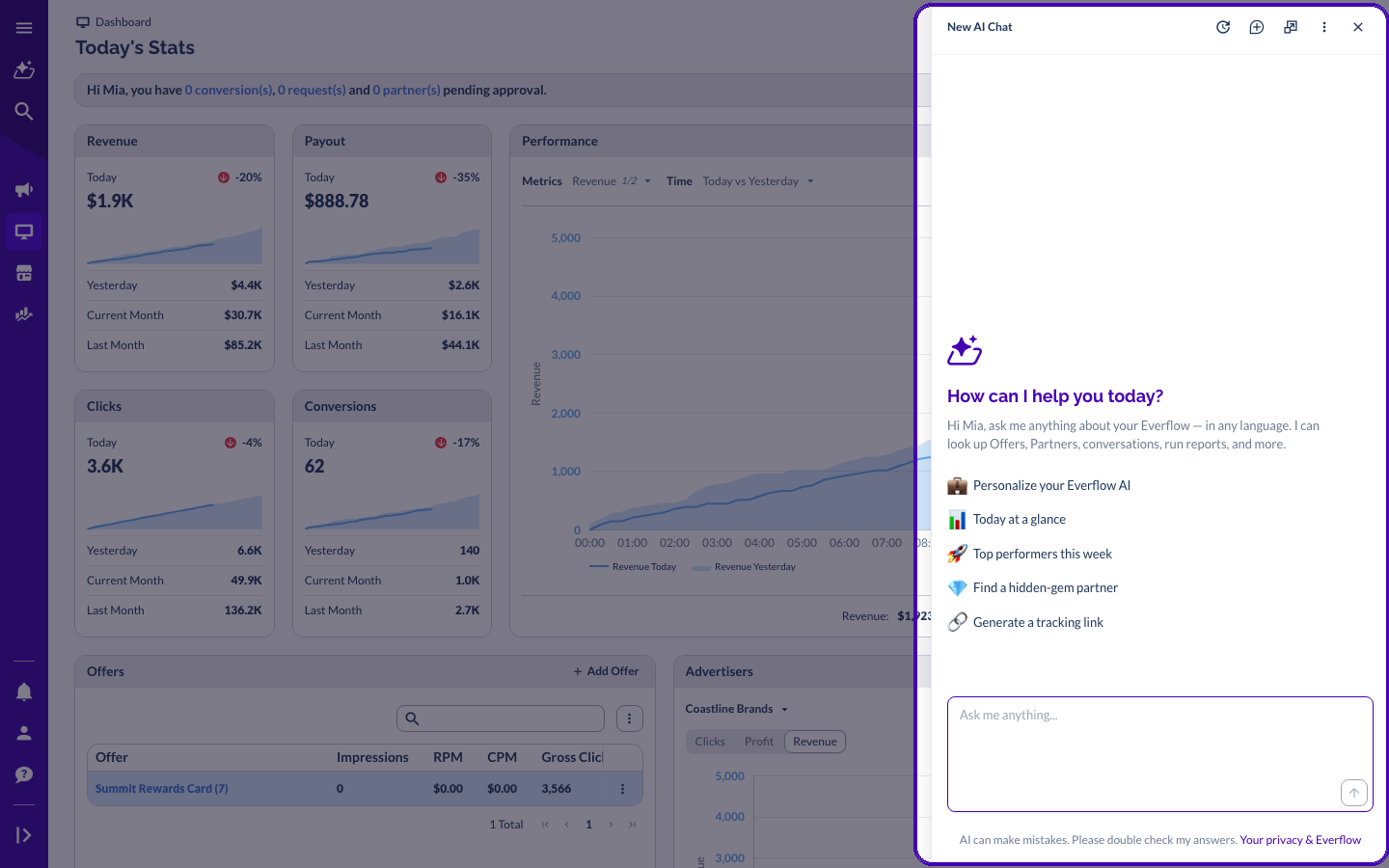
Open Ask Everflow AI as a panel that slides in from the right and stays with you as you move around the platform. Because it knows the page you’re on, you can ask about the offer or partner you’re already looking at without typing the details again.
The full page
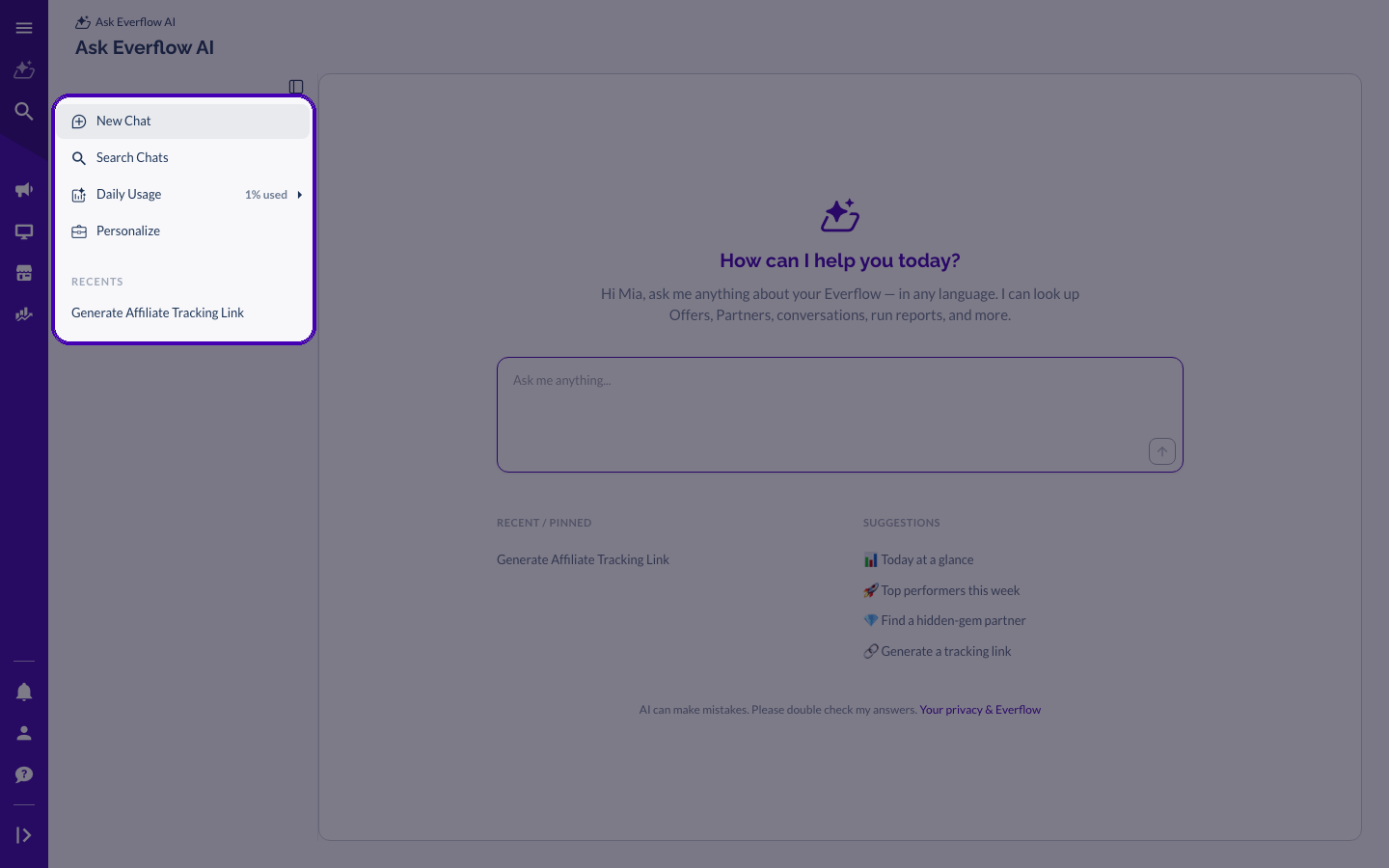
Want more room? Open the full Ask Everflow AI page. It opens in a new tab so your dashboard stays put, and gives you more space plus your recent chats, saved conversations, and search.
What you can ask
Ask Everflow AI can look across your offers, partners, advertisers, conversions, clicks, creatives, invoices, and more. A few of the things people ask it every day:
Every answer shows a “data lookups” note so you can see exactly what it checked, and it offers follow-up questions to keep you going, so you don’t have to start from scratch.

Example: generating a tracking link
Ask for a tracking link and Ask Everflow AI walks you through it. It confirms the offer and partner, turns the names into their IDs, and returns the ready-to-use link, then suggests next steps like setting up a postback.

Make it your own with Personalize
Open

A few things to keep in mind
A couple of things worth knowing before you dive in.
Frequently Asked Questions
You already have it. Ask Everflow AI is in public beta and available to all customers, right inside your Everflow account. There’s no waitlist or sign-up.
No. Ask Everflow AI is read-only. It can find information and answer questions, but it can’t change anything in your account. For actions like pausing a campaign or updating a payout, it’ll explain how to do it yourself.
Your offers, partners, advertisers, conversions, clicks, creatives, invoices, and more. It also answers product how-to questions and generates tracking links, and it shows the data it looked up with each answer.
Ask in whatever language you like. It understands and replies in the same language.
It’s very capable, but like any AI it can make a mistake now and then. Every answer includes a reminder to double-check before you act on an important decision, and it shows the data lookups behind the answer so you can confirm.
Want to go further? Here are a few good next stops.
→ Everflow MCP Server for developers. The same read-only tools Ask Everflow AI uses in the platform, ready to connect to outside AI assistants like Claude through the Model Context Protocol.


