


.svg)

Overview
Connect with Partners easily and keep control of your affiliate / partner marketing program.
We'll show you how to find potential Partners, set them up, and manage your relationships all in one place.
What's Changed▼
July 17, 2026 Removed
Removed the Match Score and the Top Matches sort option from Marketplace Discovery.
Connection Process
Here's how to connect with a Partner, from finding them to getting them set up.
1
Discovery
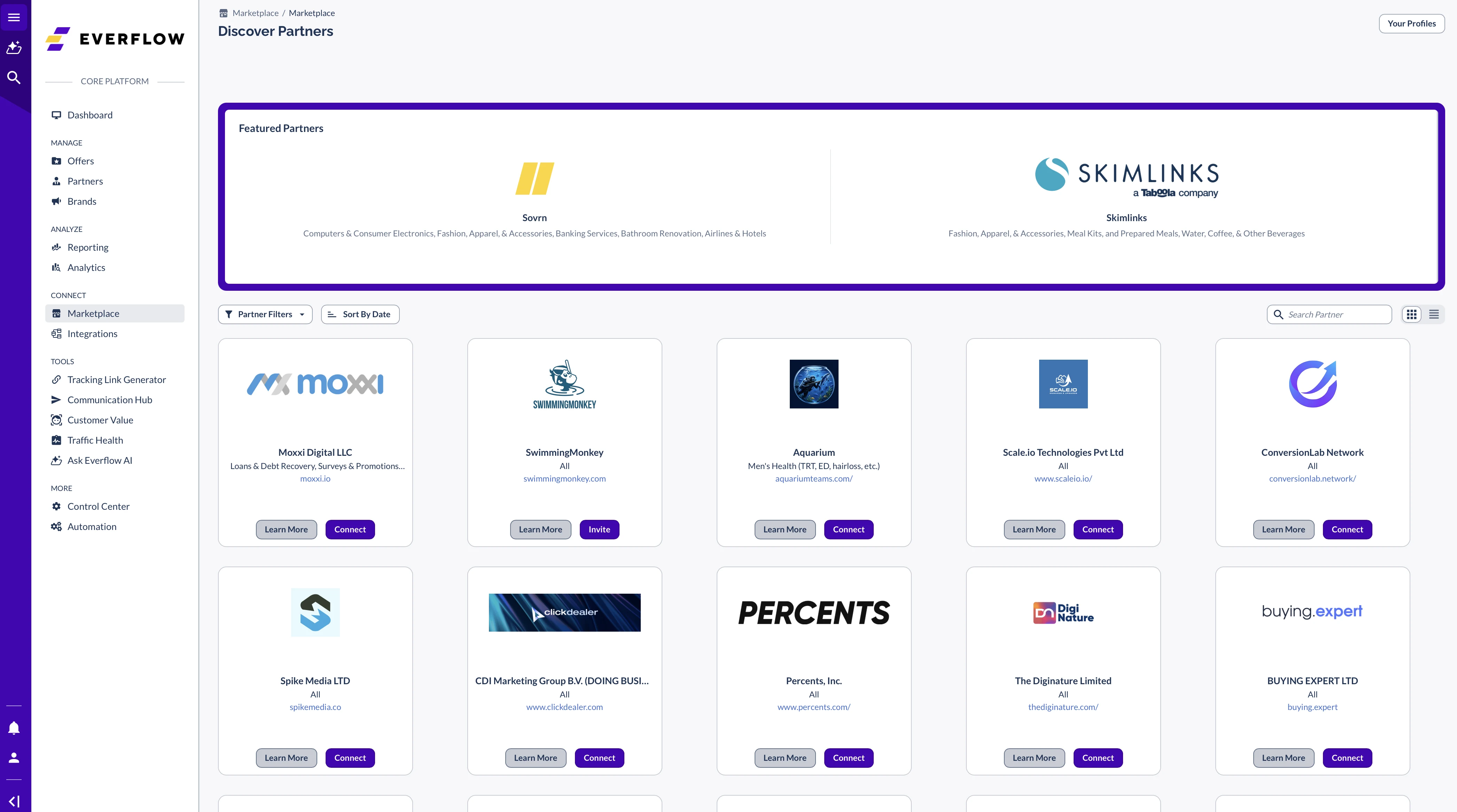
Navigate to
Marketplace -> Discovery -> Partner Discovery
Review Partner profiles
Click
Learn More
for details.
2
Invitation
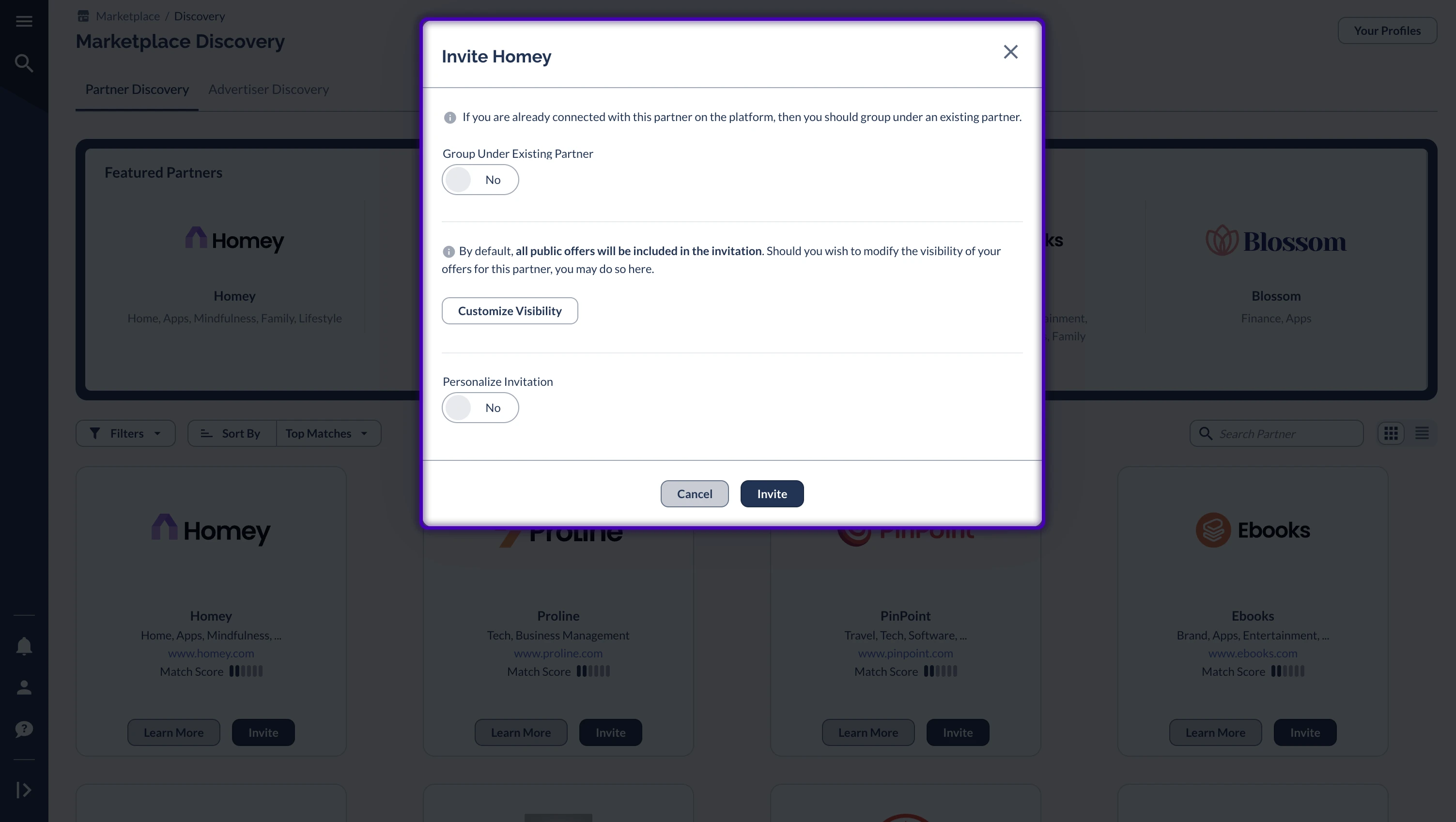
Click
Invite
for chosen Partner
Choose account setup:
Create new account
Or group under existing Partner
Set Offer Visibility.
Customize invitation (optional but recommended).
Select
Customize Visibility
to pre-approve specific Offers for automatic setup in the Partner's platform.
All Public Offers are automatically approved for this Partner.
3
Partner Setup
Once the Partner approves your request:
Receive email confirmation
Navigate to
Partners -> Manage
Click on the Partner you connected with via Marketplace
Once set up, the Partner is managed with the same process as any existing Partners.
Tracking is set up automatically for Conversions and Events. Once an Offer is approved, Partners can start promoting it right away and running traffic.
4
Review Offer Visibility
To edit the Offer visibility for the Partner:
Edit Offer Visibility
Manage approved Offers
Monitor performance


